Cisco Training Courses

Kurssit

Insoft on palvellut IT-yhteisöä Ciscon virallisella koulutustarjonnalla vuodesta 2010. Tältä sivulta löydät kaikki olennaiset tiedot Ciscon koulutuksesta.

Katso lisää Cisco Training Learning Partner
Cisco Learning Credits

Cisco Learning Credits

Cisco opintopisteet (CLC) ovat suoraan Ciscon kanssa lunastettuja prepaid-koulutusseteleitä, jotka helpottavat menestyksen suunnittelua ostaessasi Ciscon tuotteita ja palveluita.

Katso lisää Cisco Training Learning Partner
Cisco Continuing Education

Cisco Continuing Education

Cisco täydennyskoulutusohjelma tarjoaa kaikille aktiivisille sertifioinnin haltijoille joustavia vaihtoehtoja uudelleensertifiointiin suorittamalla erilaisia kelvollisia koulutuskohteita.

Katso lisää Cisco Training Learning Partner
Cisco U Digital Learning

Cisco Digital Learning

Sertifioidut työntekijät ovat ARVOSTETTUJA omaisuuseriä. Tutustu Ciscon valtuutettuun digitaaliseen oppimiskirjastoon ja kouluta itseäsi tallennettujen istuntojen avulla.

Katso lisää Cisco Training Learning Partner
Cisco Business Enablement

Cisco Business Enablement

Cisco Business Enablement Partner Program keskittyy Cisco Channel Partnersin ja asiakkaiden liiketoimintataitojen terävöittämiseen.

Katso lisää Cisco Training Learning Partner
Fortinet Certification Training

Kurssit

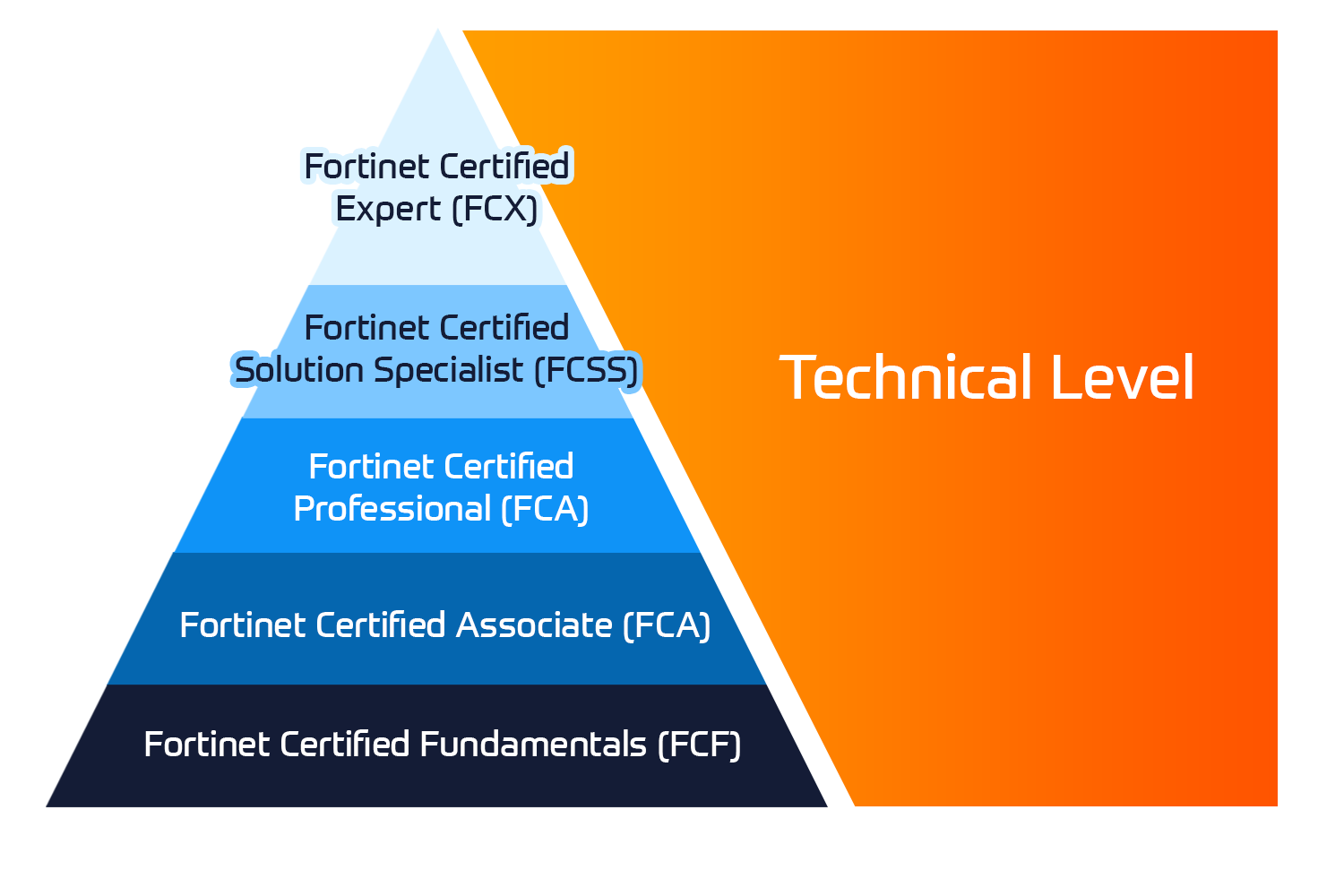
Insoft Services on auktorisoitu Fortinet-kouluttaja useassa Euroopan maassa.

Katso lisää Fortinet Premier Authorized Training Center
Fortinet Training Courses

ATC Status

Tarkista ATC-tilamme valituissa Euroopan maissa.

Katso lisää Fortinet Premier Authorized Training Center
AWS

Kurssit

Koulutus sisältää omatoimisia laboratorioita käytännön AWS-harjoitteluun tosielämän skenaarioissa, jolloin voit oppia omaan tahtiisi, luokassa, töissä tai verkossa.

Katso lisää AWS
Extreme Networks Training Partner

Kurssit

Extreme Networks Technical Trainingin kehitys tarjoaa kattavan progressiivisen polun associate-akkreditoinnista ammatilliseen akkreditointiin.

Katso lisää Extreme Networks Training Partner
Extreme Networks Training Partner

ATP-akkreditointi

Valtuutettuna koulutuskumppanina (ATP) Insoft Services varmistaa, että saat korkeimman saatavilla olevan koulutuksen.

Katso lisää Extreme Networks Training Partner
Insoft Services

Tiimimme

Koulutusvalikoimaamme kuuluu laaja valikoima IT-koulutusta IP-palveluntarjoajilta, mukaan lukien Cisco, Extreme Networks, Fortinet, Microsoft, muutamia mainitakseni, EMEA-alueella.

Katso lisää Insoft Services

Symantec Data Center Security Server Advanced 6.x Diagnostics and Troubleshooting R1

Ota yhteyttä

Voit olla meihin yhteydessä ja tiedustella koulutuksistamme täydentämällä yhteystietosi ja koulutuksen nimen oheen.

Tietosuojalauseke ja yksityisyys

Suostun vastaanottamaan sähköpostiviestejä ja/tai puheluita Insoft Services Oy: n tuotteista ja palveluista.
Hyväksyn, että tietojani kerätään ja käsitellään Insoft Servicesin tietosuojakäytännössä kuvatulla tavalla.

Close

Symantec Data Center Security Server Advanced 6.x Diagnostics and Troubleshooting R1

VARAA NYT
Kesto
2 päivää
Toimitus
(Online ja paikan päällä)
Hinta
Hinta pyydettäessä

The Symantec Data Center Server Advanced 6.x Diagnostics and Troubleshooting R1 course is designed for the IT security management professional tasked with troubleshooting Data Center Security Server Advanced (SDCSSA). Students learn how to troubleshoot the SDCSSA server, UMC, and agent core components. You also learn how to identify services, examine configuration files, interpret log files and use that information for diagnosis and troubleshooting.

Associated certification:

  • Exam 250-426: Symantec Data Center Security – Server Advanced 6.7 Technical Specialist
  • Identify the process flow between all DCSSA components
  • Troubleshoot and change Management server and Unified Management Console (UMC) configurations
  • Solve agent issues with special emphasis placed on communication, certificate issues, and agents or agent status not displaying in UMC.
  • Tune and troubleshoot policies on Windows and Linux/Unix agents.
  • Research and solve Server and Agent installation and upgrade issues

Module 1: Examining the SDCSSA Architecture and Components

  • Describing the SDCSSA architecture
  • Describing each component’s role
  • Describing how components interact when performing common tasks
  • Isolating SDCSSA components to troubleshoot

Module 2: Troubleshooting the Management Server

  • Identify Management server core components and their roles
  • Examine services and dependencies
  • Identify and examine logs
  • Identify and examine configuration, communication, and certificate issues
  • Diagnose and troubleshoot management server changes

Module 3: Troubleshooting Management and UMC Consoles

  • Identify core components
  • Examine services and dependencies
  • Research authentication issues
  • Identify, examine, and troubleshoot configuration, communication, and certificate issues
  • Examine the applying policy process

Module 4: Troubleshooting Agents

  • Identifying Windows agent components
  • Troubleshooting Windows agents
  • Identifying Linux agent components
  • Troubleshooting Linux agents

Module 5: Troubleshooting Prevention and Detection Policies

  • Examine Prevention policy components
  • Examine policy logs (local)
  • Troubleshooting Prevention policies
  • Examine Detection policy components
  • Troubleshoot Detection policies
  • Manage events
  • Tune policies

Module 6: Troubleshooting Installations and Upgrades

  • Locate installation and upgrade information
  • Troubleshoot Management server installation and upgrades
  • Troubleshoot Management Console installation and upgrades
  • Troubleshoot Windows, Linux, and Unix Agent installation and upgrades
  • You must have attended the Symantec Data Security Sever Advanced 6.x Administration R1 course or have one year of day-to-day experience maintaining an SDCSSA environment, which includes basic troubleshooting.
  • Broadcom also recommends that you visit Symantec eLibrary and take the fifteen-minute introductory to Symantec Diagnostic and Troubleshooting Methodology course.

The Symantec Data Center Server Advanced 6.x Diagnostics and Troubleshooting R1 course is designed for the IT security management professional tasked with troubleshooting Data Center Security Server Advanced (SDCSSA). Students learn how to troubleshoot the SDCSSA server, UMC, and agent core components. You also learn how to identify services, examine configuration files, interpret log files and use that information for diagnosis and troubleshooting.

Associated certification:

  • Exam 250-426: Symantec Data Center Security – Server Advanced 6.7 Technical Specialist
  • Identify the process flow between all DCSSA components
  • Troubleshoot and change Management server and Unified Management Console (UMC) configurations
  • Solve agent issues with special emphasis placed on communication, certificate issues, and agents or agent status not displaying in UMC.
  • Tune and troubleshoot policies on Windows and Linux/Unix agents.
  • Research and solve Server and Agent installation and upgrade issues

Module 1: Examining the SDCSSA Architecture and Components

  • Describing the SDCSSA architecture
  • Describing each component’s role
  • Describing how components interact when performing common tasks
  • Isolating SDCSSA components to troubleshoot

Module 2: Troubleshooting the Management Server

  • Identify Management server core components and their roles
  • Examine services and dependencies
  • Identify and examine logs
  • Identify and examine configuration, communication, and certificate issues
  • Diagnose and troubleshoot management server changes

Module 3: Troubleshooting Management and UMC Consoles

  • Identify core components
  • Examine services and dependencies
  • Research authentication issues
  • Identify, examine, and troubleshoot configuration, communication, and certificate issues
  • Examine the applying policy process

Module 4: Troubleshooting Agents

  • Identifying Windows agent components
  • Troubleshooting Windows agents
  • Identifying Linux agent components
  • Troubleshooting Linux agents

Module 5: Troubleshooting Prevention and Detection Policies

  • Examine Prevention policy components
  • Examine policy logs (local)
  • Troubleshooting Prevention policies
  • Examine Detection policy components
  • Troubleshoot Detection policies
  • Manage events
  • Tune policies

Module 6: Troubleshooting Installations and Upgrades

  • Locate installation and upgrade information
  • Troubleshoot Management server installation and upgrades
  • Troubleshoot Management Console installation and upgrades
  • Troubleshoot Windows, Linux, and Unix Agent installation and upgrades
  • You must have attended the Symantec Data Security Sever Advanced 6.x Administration R1 course or have one year of day-to-day experience maintaining an SDCSSA environment, which includes basic troubleshooting.
  • Broadcom also recommends that you visit Symantec eLibrary and take the fifteen-minute introductory to Symantec Diagnostic and Troubleshooting Methodology course.