Cisco Training Courses

Kurssit

Insoft on palvellut IT-yhteisöä Ciscon virallisella koulutustarjonnalla vuodesta 2010. Tältä sivulta löydät kaikki olennaiset tiedot Ciscon koulutuksesta.

Katso lisää Cisco Training Learning Partner
Cisco Learning Credits

Cisco Learning Credits

Cisco opintopisteet (CLC) ovat suoraan Ciscon kanssa lunastettuja prepaid-koulutusseteleitä, jotka helpottavat menestyksen suunnittelua ostaessasi Ciscon tuotteita ja palveluita.

Katso lisää Cisco Training Learning Partner
Cisco Continuing Education

Cisco Continuing Education

Cisco täydennyskoulutusohjelma tarjoaa kaikille aktiivisille sertifioinnin haltijoille joustavia vaihtoehtoja uudelleensertifiointiin suorittamalla erilaisia kelvollisia koulutuskohteita.

Katso lisää Cisco Training Learning Partner
Cisco U Digital Learning

Cisco Digital Learning

Sertifioidut työntekijät ovat ARVOSTETTUJA omaisuuseriä. Tutustu Ciscon valtuutettuun digitaaliseen oppimiskirjastoon ja kouluta itseäsi tallennettujen istuntojen avulla.

Katso lisää Cisco Training Learning Partner
Cisco Business Enablement

Cisco Business Enablement

Cisco Business Enablement Partner Program keskittyy Cisco Channel Partnersin ja asiakkaiden liiketoimintataitojen terävöittämiseen.

Katso lisää Cisco Training Learning Partner
Fortinet Certification Training

Kurssit

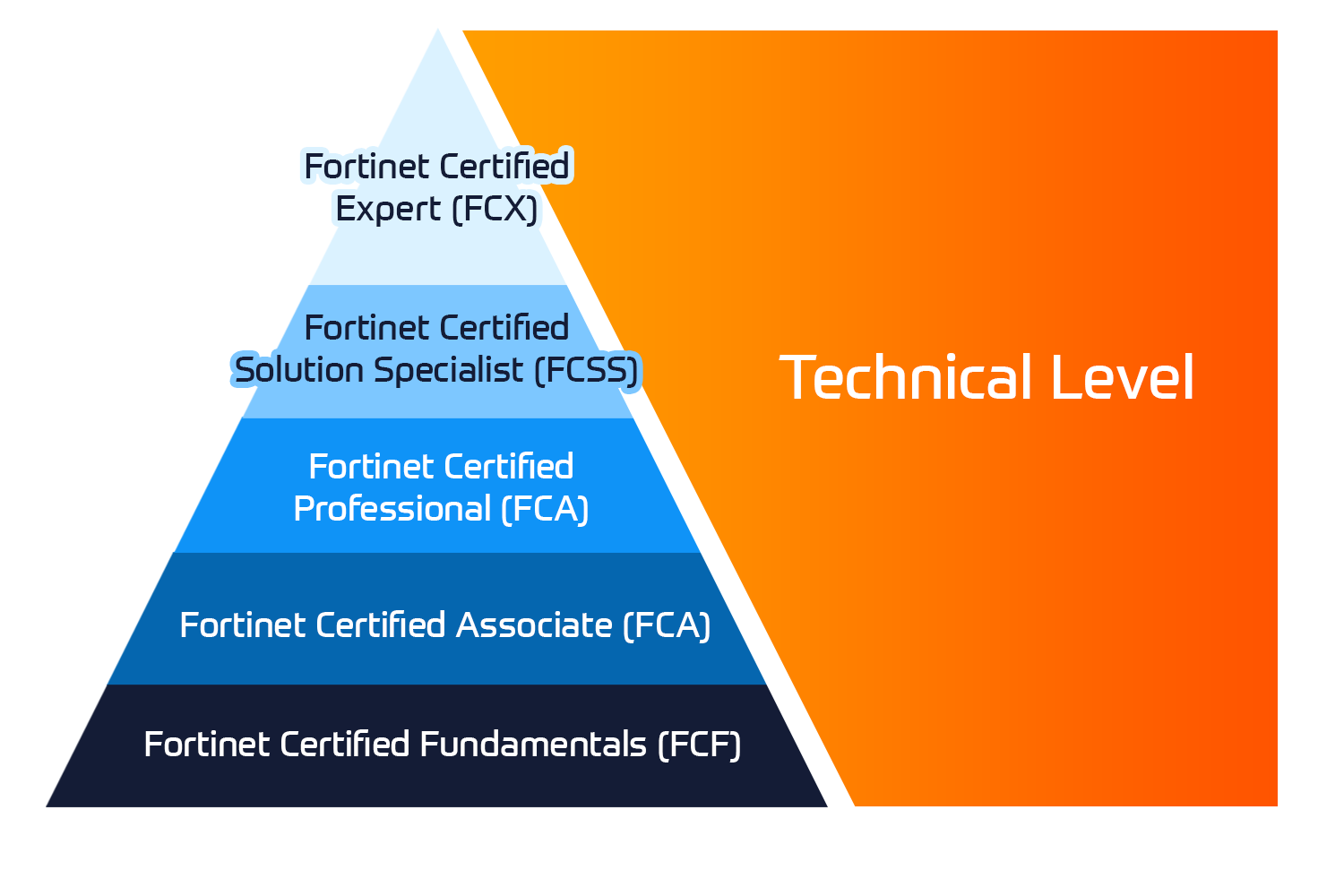
Insoft Services on auktorisoitu Fortinet-kouluttaja useassa Euroopan maassa.

Katso lisää Fortinet Premier Authorized Training Center
Fortinet Training Courses

ATC Status

Tarkista ATC-tilamme valituissa Euroopan maissa.

Katso lisää Fortinet Premier Authorized Training Center
AWS

Kurssit

Koulutus sisältää omatoimisia laboratorioita käytännön AWS-harjoitteluun tosielämän skenaarioissa, jolloin voit oppia omaan tahtiisi, luokassa, töissä tai verkossa.

Katso lisää AWS
Extreme Networks Training Partner

Kurssit

Extreme Networks Technical Trainingin kehitys tarjoaa kattavan progressiivisen polun associate-akkreditoinnista ammatilliseen akkreditointiin.

Katso lisää Extreme Networks Training Partner
Extreme Networks Training Partner

ATP-akkreditointi

Valtuutettuna koulutuskumppanina (ATP) Insoft Services varmistaa, että saat korkeimman saatavilla olevan koulutuksen.

Katso lisää Extreme Networks Training Partner
Insoft Services

Tiimimme

Koulutusvalikoimaamme kuuluu laaja valikoima IT-koulutusta IP-palveluntarjoajilta, mukaan lukien Cisco, Extreme Networks, Fortinet, Microsoft, muutamia mainitakseni, EMEA-alueella.

Katso lisää Insoft Services

AS5EGG – PowerVM on IBM i – I:Implementing Virtualization and LPAR

Ota yhteyttä

Voit olla meihin yhteydessä ja tiedustella koulutuksistamme täydentämällä yhteystietosi ja koulutuksen nimen oheen.

Tietosuojalauseke ja yksityisyys

Suostun vastaanottamaan sähköpostiviestejä ja/tai puheluita Insoft Services Oy: n tuotteista ja palveluista.
Hyväksyn, että tietojani kerätään ja käsitellään Insoft Servicesin tietosuojakäytännössä kuvatulla tavalla.

Close

AS5EGG – PowerVM on IBM i – I:Implementing Virtualization and LPAR

VARAA NYT
Kesto
3 päivää
Toimitus
(Online ja paikan päällä)
Hinta
Hinta pyydettäessä

Learn the concepts of Logical Partitioning (LPAR) for Power System servers with IBM i. In this course you begin with an overview of LPAR on Power System servers, followed with more detailed information on configuration planning and implementation using hands-on exercises to create and implement logical partitions.


Also, learn about partial processors, dynamic allocation and reallocation of memory, processors, interactive Commercial Processing Workloads (CPW), buses, Graphical User Interface (GUI), Virtual Local Area Network (VLAN), Host Ethernet Adapters (HEA) and System Planning Tool (SPT). Use IBM Power7 or Power6 servers and emphasize the new hardware, including the use of the Hardware Management Console (HMC).


This course provides lectures and hands on labs in a face-to-face classroom setting.

  • Describe the PowerVM features
  • Identify, describe, and locate hardware components in the Power System, Flex System and Power Blade models
  • Identify virtualization options available, reliability features and single points of failure for Power Systems servers
  • Implement System Planning Tool in design or update your own system
  • Explain Simultaneous Multithreading (SMT)
  • Describe memory allocation and affinity concepts
  • Describe and configure a partition profile, including shared processors:
  • Capped
  • Uncapped
  • Virtual processors
  • Weighting factor
  • Shared Processor Pools
  • Explain virtual I/O: Serial, Ethernet and SCSI
  • Understand and implement: IBM i installation through NFS, image virtual repository in VIOS, and assigning VSCSI disks to partitions in VIOS
  • Understand base characteristics of IVM and how implement IBM i on Power Blades
  • Describe the NPIV PowerVM feature, how to configure virtual Fiber Channel adapters on the Virtual I/O Server and client partitions
  • Discuss how to use the HMC GUI and commands to work with the World Wide Port Name (WWPN) pairs
  • Identify commands used to examine the NPIV configuration

PowerVM for IBM i – Overview Power Systems for IBM i

Exercise – Lab introduction

Introduction to System Planning Tool

Exercise – SPT introduction

Virtualization of IBM i – Processor, Memory, Processor Pools

Virtualization of IBM i – Virtual I/O

Exercise – Ethernet connection virtualization

Virtualization of IBM i – Installation from NFS or VIOS repository

Exercise – Installation from NFS or VIOS repository

Implementation of IBM i on Power Blades

PowerVM for IBM i – NPIV

Exercise: IBM i client partition with NPIV connected disks

This intermediate course is for technical specialists, support/services individuals, individuals implementing LPARs for Power Systems with IBM i. This course is also appropriate for IBM Business Partners who sell and plan for consolidated systems.

You should have:

  • some knowledge of Power system architectural concepts
  • some experience with Power System servers
  • attended Hardware Management Console (HMC) for Power System with IBM i (OL520GB) (OV520GB)(OP520GB); or have the equivalent knowledge
  • Entry level knowledge of LPAR on current systems is helpful, but not required.

Learn the concepts of Logical Partitioning (LPAR) for Power System servers with IBM i. In this course you begin with an overview of LPAR on Power System servers, followed with more detailed information on configuration planning and implementation using hands-on exercises to create and implement logical partitions.


Also, learn about partial processors, dynamic allocation and reallocation of memory, processors, interactive Commercial Processing Workloads (CPW), buses, Graphical User Interface (GUI), Virtual Local Area Network (VLAN), Host Ethernet Adapters (HEA) and System Planning Tool (SPT). Use IBM Power7 or Power6 servers and emphasize the new hardware, including the use of the Hardware Management Console (HMC).


This course provides lectures and hands on labs in a face-to-face classroom setting.

  • Describe the PowerVM features
  • Identify, describe, and locate hardware components in the Power System, Flex System and Power Blade models
  • Identify virtualization options available, reliability features and single points of failure for Power Systems servers
  • Implement System Planning Tool in design or update your own system
  • Explain Simultaneous Multithreading (SMT)
  • Describe memory allocation and affinity concepts
  • Describe and configure a partition profile, including shared processors:
  • Capped
  • Uncapped
  • Virtual processors
  • Weighting factor
  • Shared Processor Pools
  • Explain virtual I/O: Serial, Ethernet and SCSI
  • Understand and implement: IBM i installation through NFS, image virtual repository in VIOS, and assigning VSCSI disks to partitions in VIOS
  • Understand base characteristics of IVM and how implement IBM i on Power Blades
  • Describe the NPIV PowerVM feature, how to configure virtual Fiber Channel adapters on the Virtual I/O Server and client partitions
  • Discuss how to use the HMC GUI and commands to work with the World Wide Port Name (WWPN) pairs
  • Identify commands used to examine the NPIV configuration

PowerVM for IBM i – Overview Power Systems for IBM i

Exercise – Lab introduction

Introduction to System Planning Tool

Exercise – SPT introduction

Virtualization of IBM i – Processor, Memory, Processor Pools

Virtualization of IBM i – Virtual I/O

Exercise – Ethernet connection virtualization

Virtualization of IBM i – Installation from NFS or VIOS repository

Exercise – Installation from NFS or VIOS repository

Implementation of IBM i on Power Blades

PowerVM for IBM i – NPIV

Exercise: IBM i client partition with NPIV connected disks

This intermediate course is for technical specialists, support/services individuals, individuals implementing LPARs for Power Systems with IBM i. This course is also appropriate for IBM Business Partners who sell and plan for consolidated systems.

You should have:

  • some knowledge of Power system architectural concepts
  • some experience with Power System servers
  • attended Hardware Management Console (HMC) for Power System with IBM i (OL520GB) (OV520GB)(OP520GB); or have the equivalent knowledge
  • Entry level knowledge of LPAR on current systems is helpful, but not required.