Cisco Training Courses

Kurssit

Insoft on palvellut IT-yhteisöä Ciscon virallisella koulutustarjonnalla vuodesta 2010. Tältä sivulta löydät kaikki olennaiset tiedot Ciscon koulutuksesta.

Katso lisää Cisco Training Learning Partner
Cisco Learning Credits

Cisco Learning Credits

Cisco opintopisteet (CLC) ovat suoraan Ciscon kanssa lunastettuja prepaid-koulutusseteleitä, jotka helpottavat menestyksen suunnittelua ostaessasi Ciscon tuotteita ja palveluita.

Katso lisää Cisco Training Learning Partner
Cisco Continuing Education

Cisco Continuing Education

Cisco täydennyskoulutusohjelma tarjoaa kaikille aktiivisille sertifioinnin haltijoille joustavia vaihtoehtoja uudelleensertifiointiin suorittamalla erilaisia kelvollisia koulutuskohteita.

Katso lisää Cisco Training Learning Partner
Cisco U Digital Learning

Cisco Digital Learning

Sertifioidut työntekijät ovat ARVOSTETTUJA omaisuuseriä. Tutustu Ciscon valtuutettuun digitaaliseen oppimiskirjastoon ja kouluta itseäsi tallennettujen istuntojen avulla.

Katso lisää Cisco Training Learning Partner
Cisco Business Enablement

Cisco Business Enablement

Cisco Business Enablement Partner Program keskittyy Cisco Channel Partnersin ja asiakkaiden liiketoimintataitojen terävöittämiseen.

Katso lisää Cisco Training Learning Partner
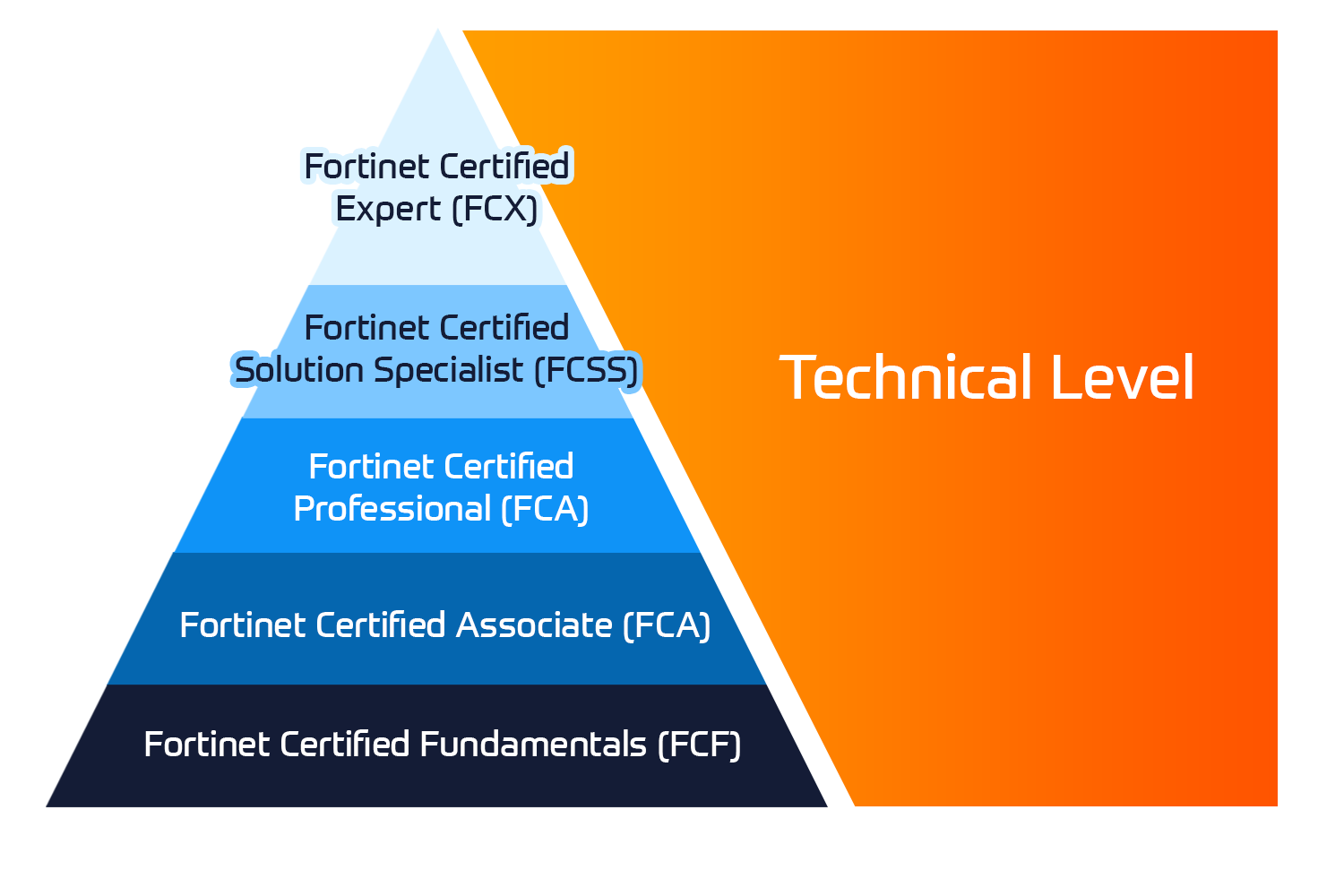
Fortinet Certification Training

Kurssit

Insoft Services on auktorisoitu Fortinet-kouluttaja useassa Euroopan maassa.

Katso lisää Fortinet Premier Authorized Training Center
Fortinet Training Courses

ATC Status

Tarkista ATC-tilamme valituissa Euroopan maissa.

Katso lisää Fortinet Premier Authorized Training Center
AWS

Kurssit

Koulutus sisältää omatoimisia laboratorioita käytännön AWS-harjoitteluun tosielämän skenaarioissa, jolloin voit oppia omaan tahtiisi, luokassa, töissä tai verkossa.

Katso lisää AWS
Extreme Networks Training Partner

Kurssit

Extreme Networks Technical Trainingin kehitys tarjoaa kattavan progressiivisen polun associate-akkreditoinnista ammatilliseen akkreditointiin.

Katso lisää Extreme Networks Training Partner
Extreme Networks Training Partner

ATP-akkreditointi

Valtuutettuna koulutuskumppanina (ATP) Insoft Services varmistaa, että saat korkeimman saatavilla olevan koulutuksen.

Katso lisää Extreme Networks Training Partner
Insoft Services

Tiimimme

Koulutusvalikoimaamme kuuluu laaja valikoima IT-koulutusta IP-palveluntarjoajilta, mukaan lukien Cisco, Extreme Networks, Fortinet, Microsoft, muutamia mainitakseni, EMEA-alueella.

Katso lisää Insoft Services

Alert Analysis and Investigations with Network Security

Ota yhteyttä

Voit olla meihin yhteydessä ja tiedustella koulutuksistamme täydentämällä yhteystietosi ja koulutuksen nimen oheen.

Tietosuojalauseke ja yksityisyys

Suostun vastaanottamaan sähköpostiviestejä ja/tai puheluita Insoft Services Oy: n tuotteista ja palveluista.
Hyväksyn, että tietojani kerätään ja käsitellään Insoft Servicesin tietosuojakäytännössä kuvatulla tavalla.

Close

Alert Analysis and Investigations with Network Security

Alert Analysis and Investigations with Network Security
Kesto
3 päivää
Toimitus
(Online ja paikan päällä)
Hinta
Hinta pyydettäessä

This course examines how to triage alerts generated by Trellix Network Security, derive actionable information from those alerts, and apply the fundamentals of live analysis and investigation to investigate associated endpoints.

Hands-on activities span the entire analysis and live investigation process, beginning with a Trellix-generated alert, leading to discovery and analysis of the host for evidence of malware and other unwanted intrusion. Analysis will be performed using Trellix products and freely available tools.

  • Recognize current malware threats and trends
  • Interpret alerts from Network Security and Endpoint Security (HX) products
  • Locate and use critical information in Trellix alerts to assess a potential threat
  • Define indicators of compromise based on an alert and identify compromised hosts
  • Describe methods of live analysis
  • Create and request data acquisitions to conduct an investigation
  • Define common characteristics of Windows processes and services
  • Investigate a Redline® triage collection using a defined methodology
  • Identify malicious activity hidden among common Windows events
  • Validate and provide further context for alerts using Redline®

Day 1

Threats and Malware Trends

  • Threat landscape
  • Attack motivations
  • MITRE ATT&CK framework
  • Emerging threat actors

Initial Alerts

  • Endpoint Security (HX) alerts
  • Triage with Triage Summary
  • Network Security alerts
  • Identifying forensic artifacts in the OS Change Detail

MVX Alerts

  • Trellix alert types
  • Identifying forensic artifacts in the OS Change Detail
  • SmartVision
  • Threat assessment

Day 2

Using Audit Viewer and Redline®

  • Access triage and data collections for hosts
  • Navigate a triage collection or acquisition using Redline® or Audit Viewer
  • Apply tags and comments to a triage collection to identify key events

Windows Telemetry and Acquisitions

  • Live forensic overview
  • Windows telemetry
  • Acquiring data

Day 3

Investigation Methodology

  • Areas of evidence
  • MITRE ATT&CK framework
  • Mapping evidence to attacker activity

Capstone: Capture the Flag (CTF)

This course is intended for Security analysts, incident responders, and network security professionals who use Network Security to detect, investigate, and prevent cyber threats.

Students taking this course should have a working knowledge of networking and network security, the Windows operating system, file system, registry and regular expressions, and experience scripting in Python.

This course examines how to triage alerts generated by Trellix Network Security, derive actionable information from those alerts, and apply the fundamentals of live analysis and investigation to investigate associated endpoints.

Hands-on activities span the entire analysis and live investigation process, beginning with a Trellix-generated alert, leading to discovery and analysis of the host for evidence of malware and other unwanted intrusion. Analysis will be performed using Trellix products and freely available tools.

  • Recognize current malware threats and trends
  • Interpret alerts from Network Security and Endpoint Security (HX) products
  • Locate and use critical information in Trellix alerts to assess a potential threat
  • Define indicators of compromise based on an alert and identify compromised hosts
  • Describe methods of live analysis
  • Create and request data acquisitions to conduct an investigation
  • Define common characteristics of Windows processes and services
  • Investigate a Redline® triage collection using a defined methodology
  • Identify malicious activity hidden among common Windows events
  • Validate and provide further context for alerts using Redline®

Day 1

Threats and Malware Trends

  • Threat landscape
  • Attack motivations
  • MITRE ATT&CK framework
  • Emerging threat actors

Initial Alerts

  • Endpoint Security (HX) alerts
  • Triage with Triage Summary
  • Network Security alerts
  • Identifying forensic artifacts in the OS Change Detail

MVX Alerts

  • Trellix alert types
  • Identifying forensic artifacts in the OS Change Detail
  • SmartVision
  • Threat assessment

Day 2

Using Audit Viewer and Redline®

  • Access triage and data collections for hosts
  • Navigate a triage collection or acquisition using Redline® or Audit Viewer
  • Apply tags and comments to a triage collection to identify key events

Windows Telemetry and Acquisitions

  • Live forensic overview
  • Windows telemetry
  • Acquiring data

Day 3

Investigation Methodology

  • Areas of evidence
  • MITRE ATT&CK framework
  • Mapping evidence to attacker activity

Capstone: Capture the Flag (CTF)

This course is intended for Security analysts, incident responders, and network security professionals who use Network Security to detect, investigate, and prevent cyber threats.

Students taking this course should have a working knowledge of networking and network security, the Windows operating system, file system, registry and regular expressions, and experience scripting in Python.