Cisco Training Courses

Kurssit

Insoft on palvellut IT-yhteisöä Ciscon virallisella koulutustarjonnalla vuodesta 2010. Tältä sivulta löydät kaikki olennaiset tiedot Ciscon koulutuksesta.

Katso lisää Cisco Training Learning Partner
Cisco Learning Credits

Cisco Learning Credits

Cisco opintopisteet (CLC) ovat suoraan Ciscon kanssa lunastettuja prepaid-koulutusseteleitä, jotka helpottavat menestyksen suunnittelua ostaessasi Ciscon tuotteita ja palveluita.

Katso lisää Cisco Training Learning Partner
Cisco Continuing Education

Cisco Continuing Education

Cisco täydennyskoulutusohjelma tarjoaa kaikille aktiivisille sertifioinnin haltijoille joustavia vaihtoehtoja uudelleensertifiointiin suorittamalla erilaisia kelvollisia koulutuskohteita.

Katso lisää Cisco Training Learning Partner
Cisco U Digital Learning

Cisco Digital Learning

Sertifioidut työntekijät ovat ARVOSTETTUJA omaisuuseriä. Tutustu Ciscon valtuutettuun digitaaliseen oppimiskirjastoon ja kouluta itseäsi tallennettujen istuntojen avulla.

Katso lisää Cisco Training Learning Partner
Cisco Business Enablement

Cisco Business Enablement

Cisco Business Enablement Partner Program keskittyy Cisco Channel Partnersin ja asiakkaiden liiketoimintataitojen terävöittämiseen.

Katso lisää Cisco Training Learning Partner
Fortinet Certification Training

Kurssit

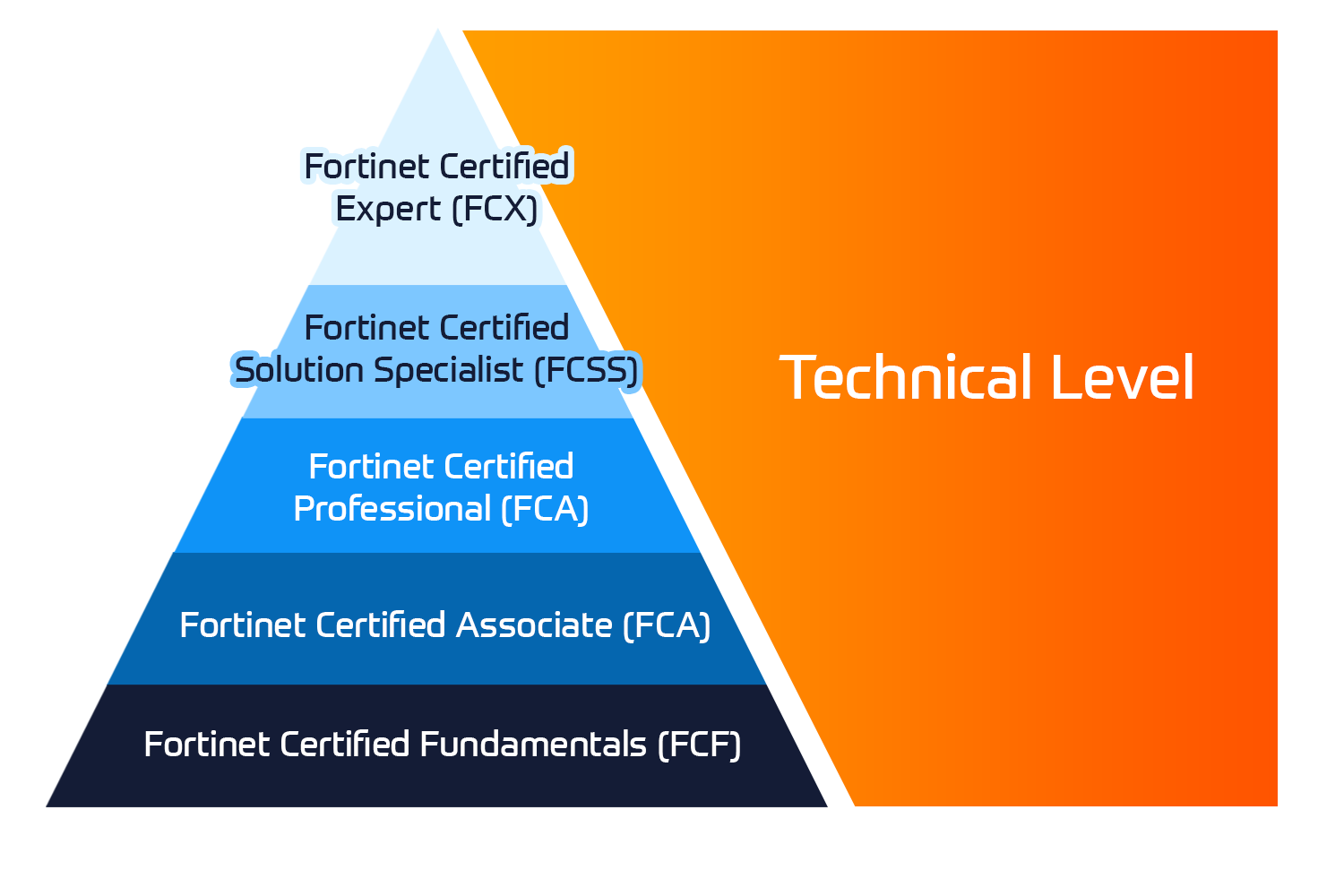
Insoft Services on auktorisoitu Fortinet-kouluttaja useassa Euroopan maassa.

Katso lisää Fortinet Premier Authorized Training Center
Fortinet Training Courses

ATC Status

Tarkista ATC-tilamme valituissa Euroopan maissa.

Katso lisää Fortinet Premier Authorized Training Center
AWS

Kurssit

Koulutus sisältää omatoimisia laboratorioita käytännön AWS-harjoitteluun tosielämän skenaarioissa, jolloin voit oppia omaan tahtiisi, luokassa, töissä tai verkossa.

Katso lisää AWS
Extreme Networks Training Partner

Kurssit

Extreme Networks Technical Trainingin kehitys tarjoaa kattavan progressiivisen polun associate-akkreditoinnista ammatilliseen akkreditointiin.

Katso lisää Extreme Networks Training Partner
Extreme Networks Training Partner

ATP-akkreditointi

Valtuutettuna koulutuskumppanina (ATP) Insoft Services varmistaa, että saat korkeimman saatavilla olevan koulutuksen.

Katso lisää Extreme Networks Training Partner
Insoft Services

Tiimimme

Koulutusvalikoimaamme kuuluu laaja valikoima IT-koulutusta IP-palveluntarjoajilta, mukaan lukien Cisco, Extreme Networks, Fortinet, Microsoft, muutamia mainitakseni, EMEA-alueella.

Katso lisää Insoft Services

7720C – IP Office Platform Basic Integration and Configuration

Ota yhteyttä

Voit olla meihin yhteydessä ja tiedustella koulutuksistamme täydentämällä yhteystietosi ja koulutuksen nimen oheen.

Tietosuojalauseke ja yksityisyys

Suostun vastaanottamaan sähköpostiviestejä ja/tai puheluita Insoft Services Oy: n tuotteista ja palveluista.
Hyväksyn, että tietojani kerätään ja käsitellään Insoft Servicesin tietosuojakäytännössä kuvatulla tavalla.

Close

7720C – IP Office Platform Basic Integration and Configuration

VARAA NYT
Kesto
5 päivää
Toimitus
(Online ja paikan päällä)
Hinta
Hinta pyydettäessä

This 5-day Instructor Led class is designed for individuals responsible for the implementation skills they need to customize and administer an IP Office™ Platform solution and those preparing for the ACIS–Avaya Midmarket Team Engagement Solutions or ACSS– IP Office™ Platform credential.

This course will provide the necessary skills to take the 7720T AIPS Credential. Delivered in a classroom setting with remote access to lab equipment, this offer consists of a combination of interactive instructor lectures followed by practical lab exercises. Time will be provided at the end of the course to take this exam; however, payment and registration for this must be made directly to Avaya Learning by raising a Purchase Order to them.

Details of this and how to register can be found here: https://www.avaya-learning.com/lms/#/training/catalog/cmap/ACIS%20-%207790

Key objectives for this offer include the ability to:

  • Identify the IP500v2 hardware and software components.
  • Identify configuration settings using the IP Office Manager.
  • Utilize the Web Management for Server Edition, Voicemail Pro Application and One-x Server.
  • Configure settings for users, hunt groups and trunks.
  • Identify installation requirements for IP Office applications.
  • Understand the configuration of SIP and IP Endpoints
  • Utilize System Securityand the different access levels
  • Explain different monitoring and analysis methods using System Status Application (SSA) and Monitoring for trouble shooting.
  • Identify and configure Call Flow in the Voicemail Pro.
  • Summarize the functionality of one-X® Portal.
  • Basic knowledge of Voice over IP (VOIP) technology.
  • Basic knowledge of Session Initiation Protocol (SIP)

This 5-day Instructor Led class is designed for individuals responsible for the implementation skills they need to customize and administer an IP Office™ Platform solution and those preparing for the ACIS–Avaya Midmarket Team Engagement Solutions or ACSS– IP Office™ Platform credential.

This course will provide the necessary skills to take the 7720T AIPS Credential. Delivered in a classroom setting with remote access to lab equipment, this offer consists of a combination of interactive instructor lectures followed by practical lab exercises. Time will be provided at the end of the course to take this exam; however, payment and registration for this must be made directly to Avaya Learning by raising a Purchase Order to them.

Details of this and how to register can be found here: https://www.avaya-learning.com/lms/#/training/catalog/cmap/ACIS%20-%207790

Key objectives for this offer include the ability to:

  • Identify the IP500v2 hardware and software components.
  • Identify configuration settings using the IP Office Manager.
  • Utilize the Web Management for Server Edition, Voicemail Pro Application and One-x Server.
  • Configure settings for users, hunt groups and trunks.
  • Identify installation requirements for IP Office applications.
  • Understand the configuration of SIP and IP Endpoints
  • Utilize System Securityand the different access levels
  • Explain different monitoring and analysis methods using System Status Application (SSA) and Monitoring for trouble shooting.
  • Identify and configure Call Flow in the Voicemail Pro.
  • Summarize the functionality of one-X® Portal.
  • Basic knowledge of Voice over IP (VOIP) technology.
  • Basic knowledge of Session Initiation Protocol (SIP)